Your whole advisory practice, in one workspace
Collect client data with intake forms, get a complete plan for every client, walk into meetings prepared, and send reports with your own branding.
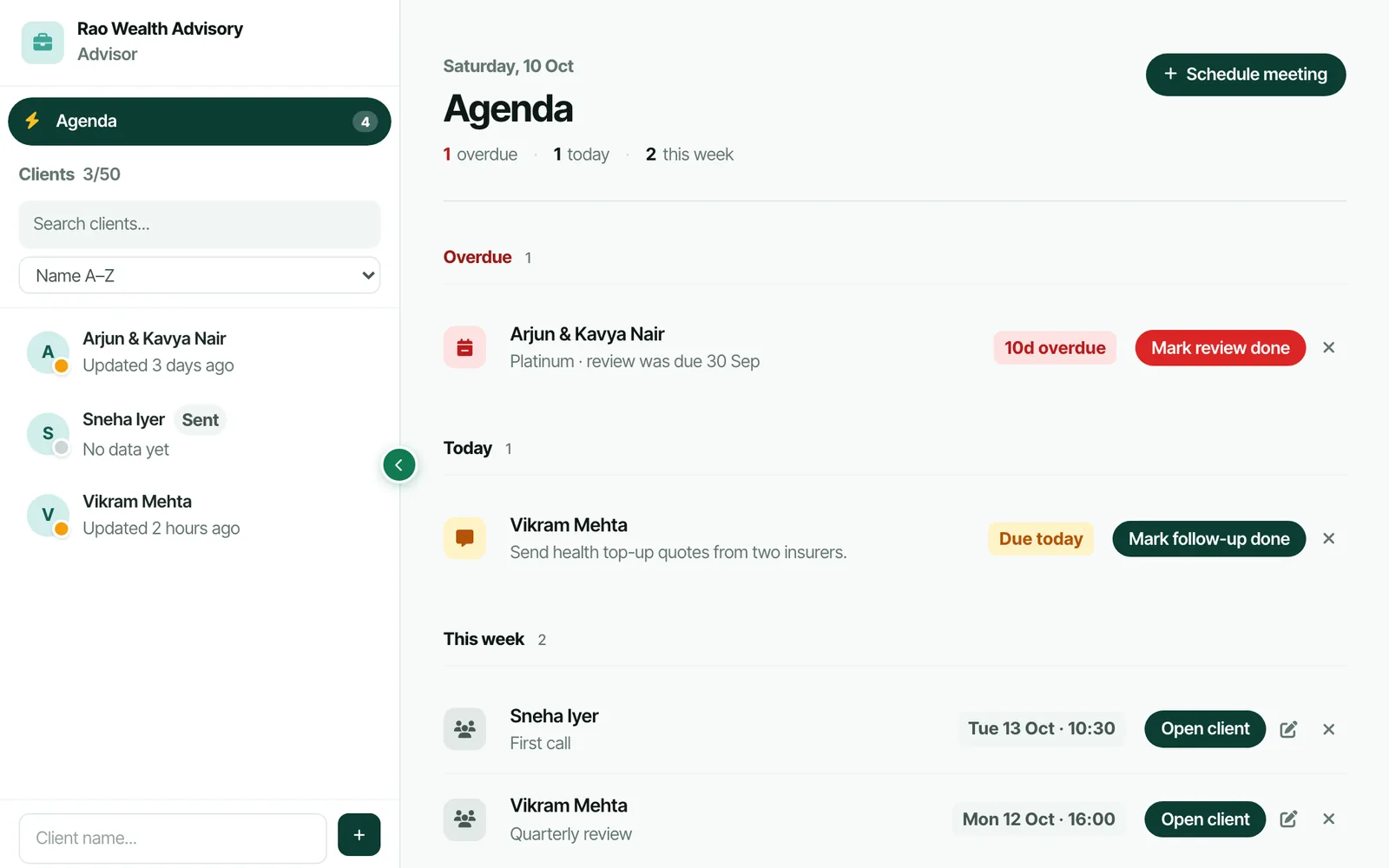
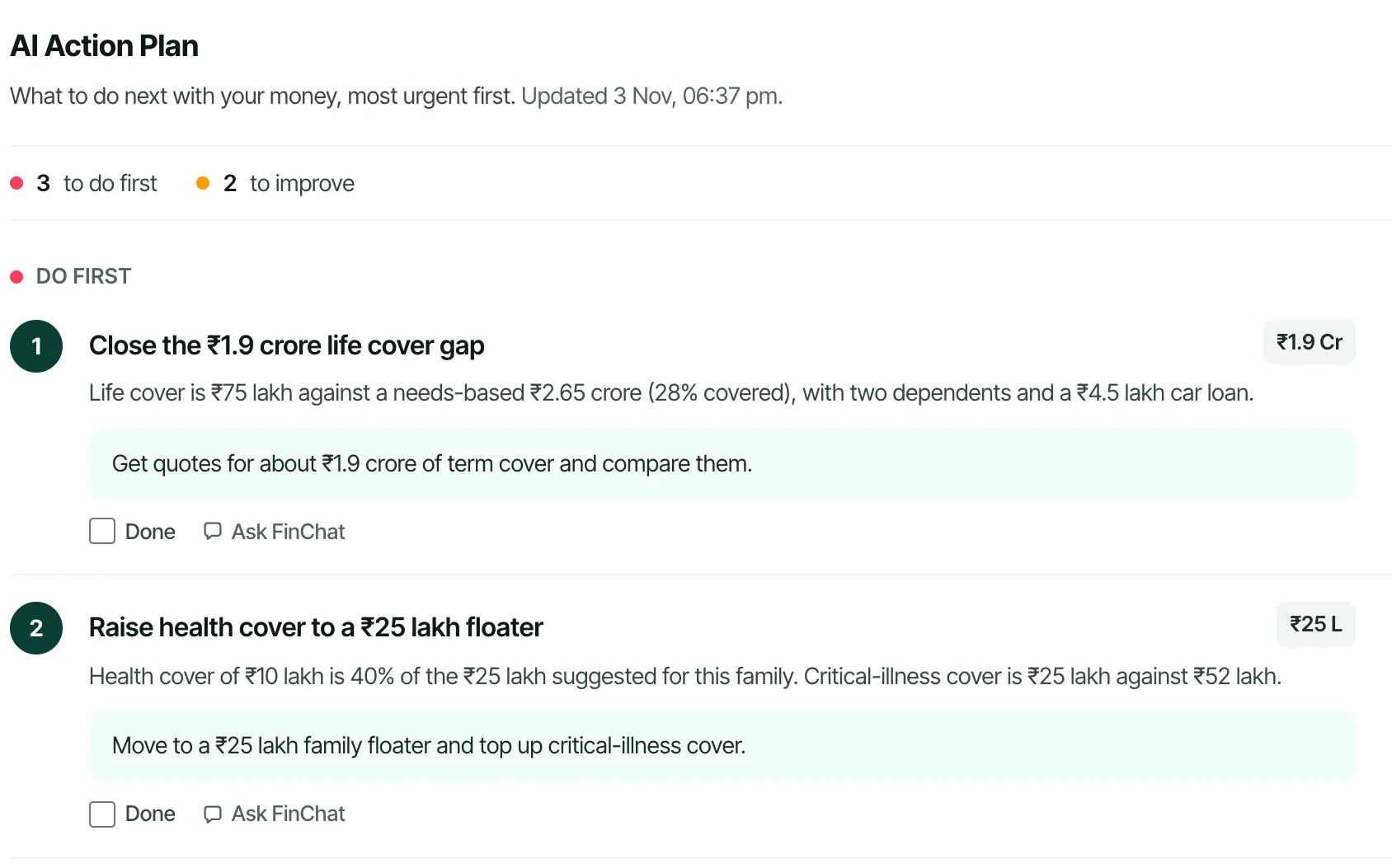
Every client gets an action plan, most urgent first, built from their own income, investments, goals and insurance.
From first call to finished plan
No setup calls and no spreadsheets. Add a client and you can send the intake form the same day.
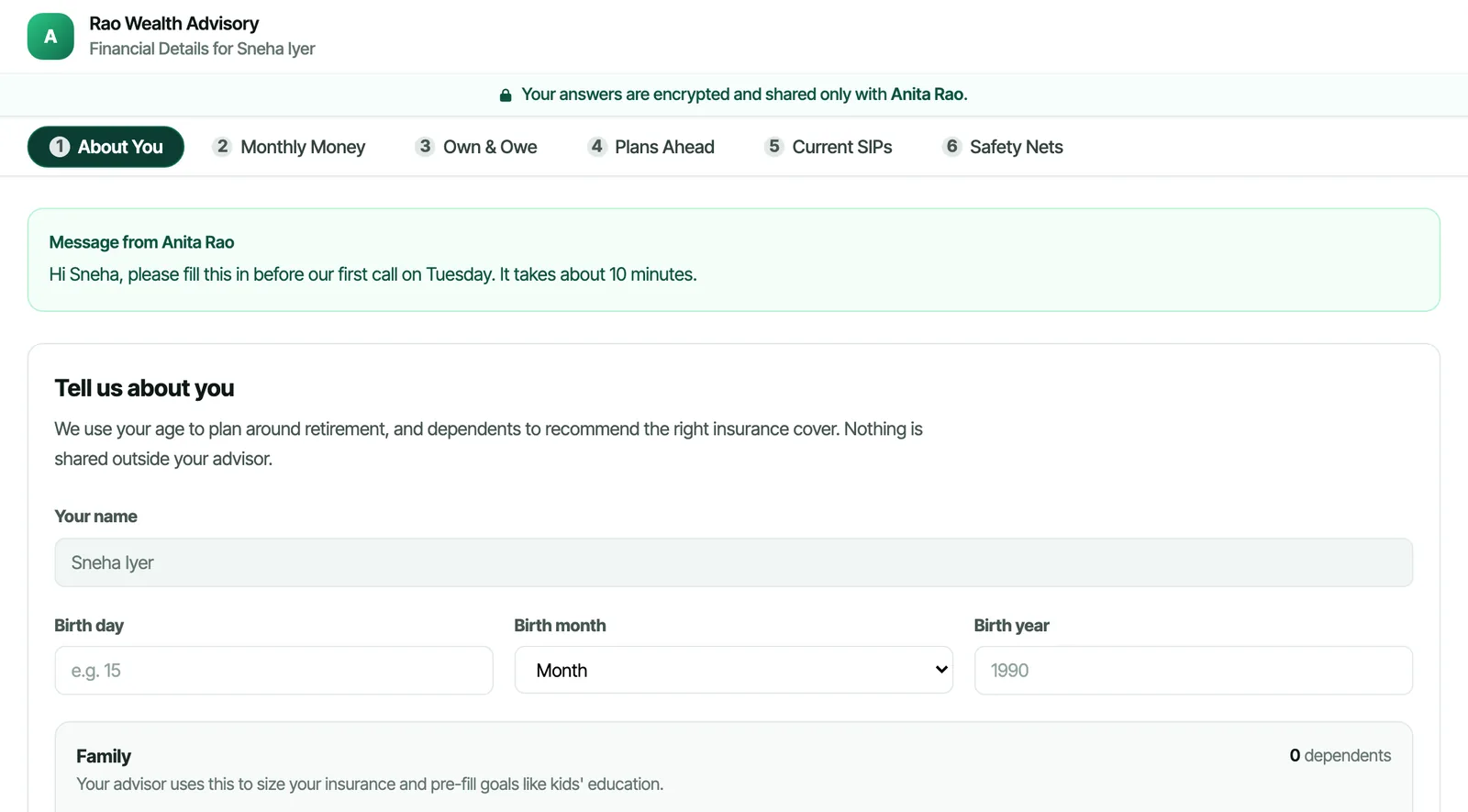
Send an intake form
One secure link. Your client fills in income, spending, assets, goals and insurance on their phone, and it lands in their workspace.
Get the full plan
A 0–100 financial health score, goal-wise SIPs, insurance gaps, a year-by-year retirement view and an AI action plan, most urgent first.
Review and follow up
Download a branded PDF, prepare meetings with AI notes, and track action items and review dates for every client.
Every client gets a complete planner
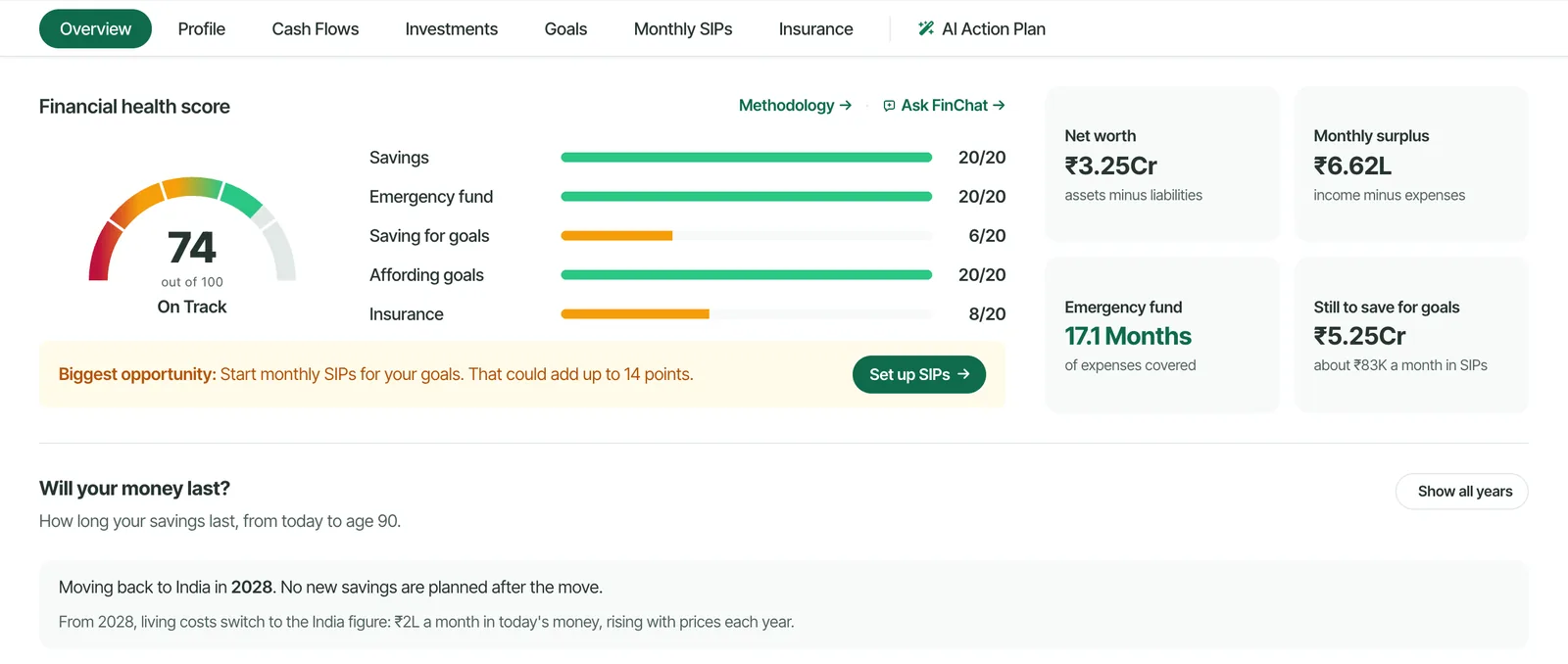
Each client has their own workspace with cash flow, investments, goals, SIPs and insurance, and switching between clients takes one click.
- A financial health score for each client across savings, emergency fund, SIPs, goals and insurance.
- Will their money last? A year-by-year view to age 90 for retirement conversations.
- Multi-currency for NRI clients, with amounts in INR, USD, GBP and more.
A plan worth discussing, for every client
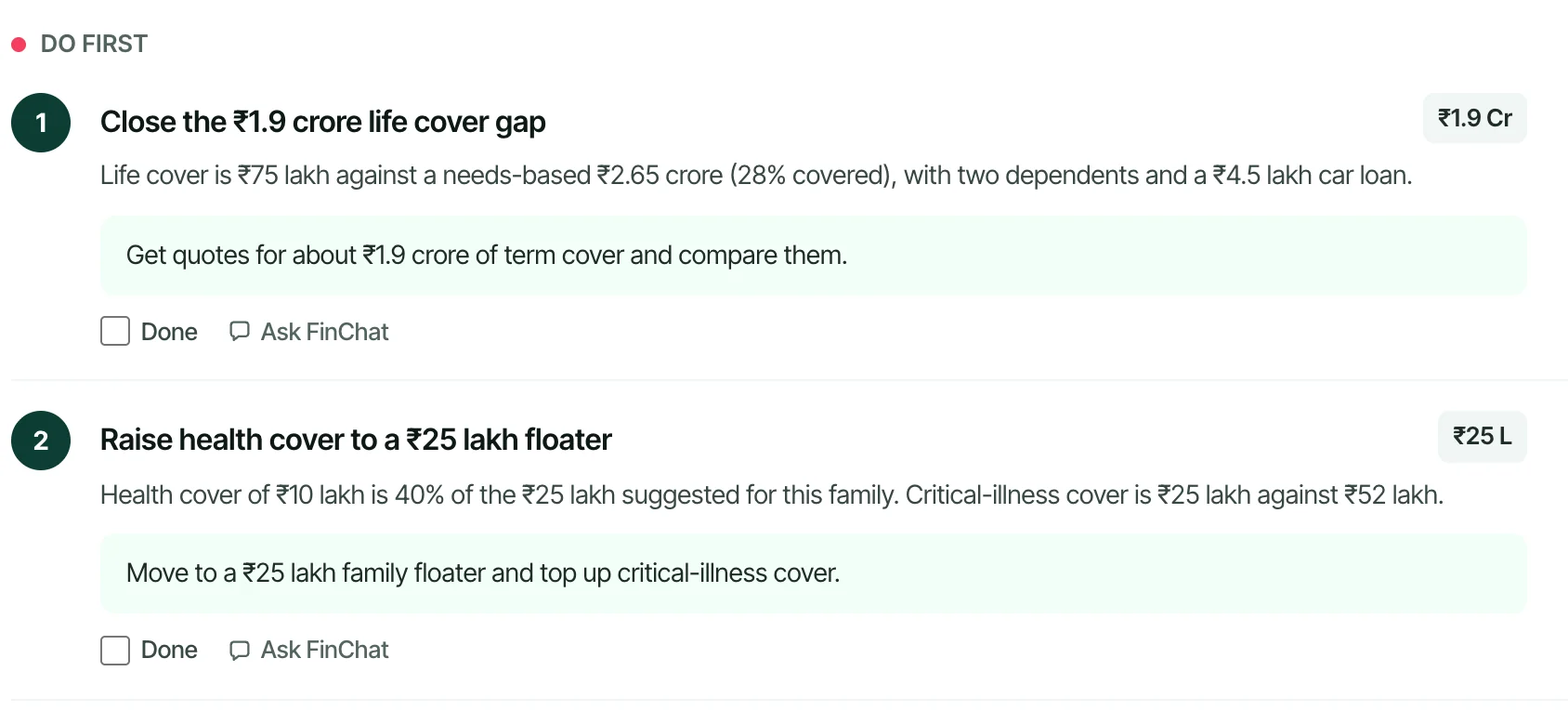
The AI reads a client’s numbers and writes recommendations grouped into what to do first, what to improve next and what can wait, each with a concrete next step, in the order financial planners work: cash flow, emergency fund, insurance, then goals.
- Specific, not generic: amounts and gaps come from the client’s own data.
- FinChat per client: ask a question inside a client’s workspace and the answer uses that client’s numbers.
- Meeting prep: one click turns the latest snapshot into talking points and action items.
Clients see your firm, not ours
Intake forms and PDF reports carry your firm’s name and logo, so everything a client receives looks like it came from your practice.
- Branded intake forms that clients can fill in over several sittings.
- PDF reports with your firm name, logo and contact details on every page.
- Client invites so clients can view their own plan when you share it.
Simple pricing
Two plans, billed in USD. Pay yearly and get two months free.
or $999/year
For independent advisors building their practice.
- Up to 50 clients
- 200 AI Action Plans a month
- 1,000 FinChat messages a month
- 10 AI meeting prep notes a month
- Intake forms, client invites, agenda and pipeline
- Branded PDF reports
- Email support
or $2,999/year
For growing firms with a larger client book.
- Unlimited clients
- Unlimited AI Action Plans and FinChat
- Unlimited AI meeting prep notes
- One year of FinChat history
- Priority support
- Team seats, up to 5 (launching soon)
- Everything in Advisor
Please tick the box above to continue.
Need integrations or a larger team? Contact us.
Questions advisors ask
How are AI Action Plans different from ChatGPT?
Each recommendation is built from the client’s own numbers in their workspace: income, surplus, goals, current SIPs, insurance and debts. The AI follows the standard financial-planning order (cash flow, emergency fund, insurance, then goals), so you get specific amounts and next steps rather than generic tips. Tax advice is left to you and the tax calculators. Treat it as a starting point for your advice.
Does meeting prep record my client calls?
No. There is no recording or transcription. Meeting prep is a briefing generated from the client’s current financial snapshot, with talking points, goal status and action items, saved to the client’s notes.
Can FinChat see a specific client’s data?
Yes, when you open FinChat inside a client’s workspace it answers using that client’s numbers. Conversations are kept per client, so a chat about one client does not include another client’s data.
Is it suitable for a SEBI-registered investment adviser?
FinPlann is a planning workspace you use to analyse clients and prepare advice; it does not give advice on its own behalf, and you remain responsible for what you recommend. Client data is encrypted at rest and in transit and hosted in Singapore. We do not sell client data. Please check your own compliance obligations.
Can I move existing clients over from Excel?
Send each client an intake form, or enter their details yourself; every section saves as you go. There is no CSV bulk import yet. If you have 20 or more clients to move, contact us and we will help.
Do my clients see FinPlann branding?
Once you add your firm details, intake forms and PDF reports show your firm’s name and logo rather than FinPlann’s.
Can I cancel anytime?
Yes. Cancel from your account settings at any time; monthly plans stop at the end of the billing period. Download any client reports you need before you cancel.
Is there a free trial?
There is no free trial of the advisor plans. You can explore the full planner on sample data in the demo, and the monthly plan can be cancelled anytime.